Drive
Start a trip fast
Search, map state, recent places, and quick actions are all right there so it feels easy to get moving.
Search for a stop, explore something nearby, pick Simon's personality, and turn an ordinary drive into a goofy little challenge without losing the feel of a real navigation app.
Real GPS guidance
Start with maps, search, and route context that feel like a proper navigation app.
Explore mode
Ask for something fun, quiet, open now, or kid-friendly and let Simon pick the stop.
Simon personalities
Switch between Classic, Snarky, and Polite Simon and decide how chatty the ride gets.
Trip controls
Tweak route style, detours, safety preferences, and challenge intensity to match the kind of trip you want.
Big eyes, map in hand, and a bright look that already feels like the app's personality.
What you can do
The app works best when it feels easy to jump into. You can start a normal drive, ask Explore for a nearby idea, change Simon's tone, or dial the challenge up or down depending on how silly you want the trip to be.
Drive
Search, map state, recent places, and quick actions are all right there so it feels easy to get moving.
Play
Tap into categories like Delicious, Fun, On My Way, Open Now, or Good for Kids when you want a destination picked for you.
Voice
Classic, Snarky, and Polite Simon make the same route feel different, and prompt frequency lets you keep it lively or keep it calm.
Control
Change detours, route preferences, challenge intensity, and safety filters so the ride matches your mood and your plans.
Inside the app
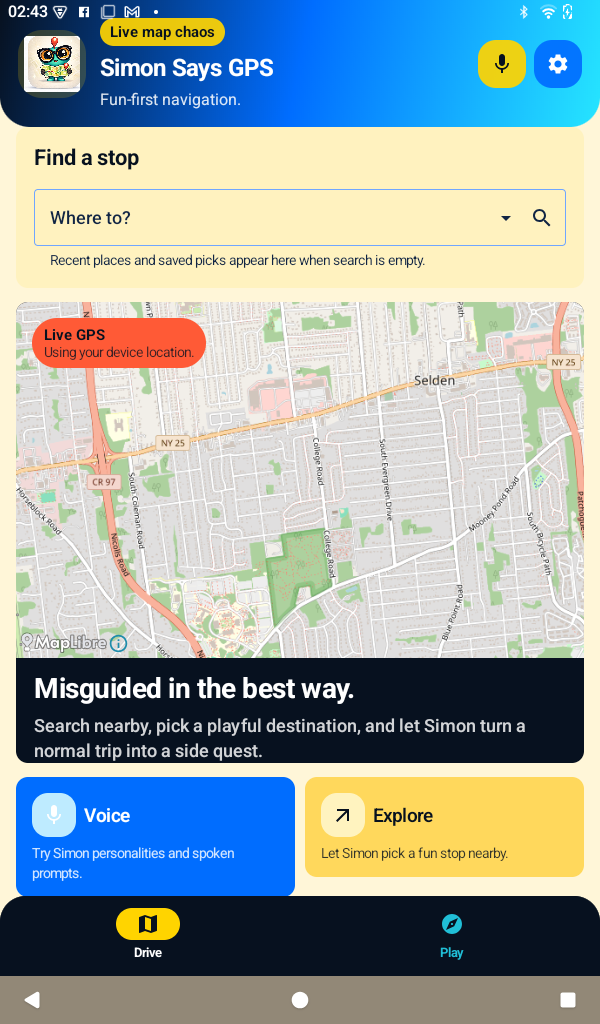
These screens show the current Android build: a bright map-first home screen, a playful Explore flow, and lots of settings for dialing Simon up or down.
Home base
Search, map context, voice tools, and Explore all live on the first screen so it feels fast to jump into a trip instead of digging through menus.
Map first
Live location and route context stay front and center.
Quick modes
Voice and Explore are easy to reach when you want them.
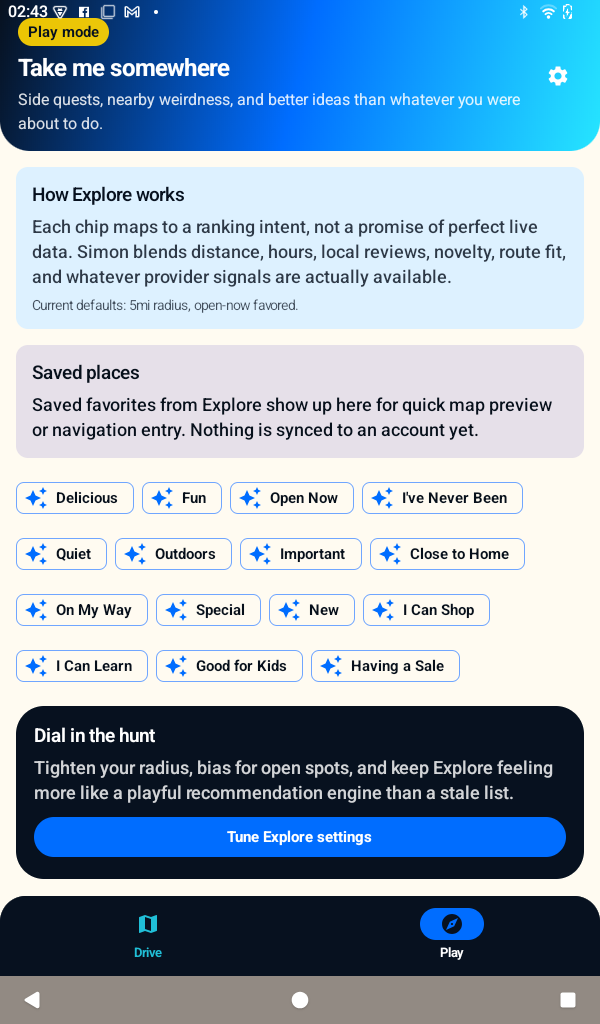
Browse tags like Fun, Delicious, Open Now, and On My Way to get a playful destination without needing a fully formed plan first.
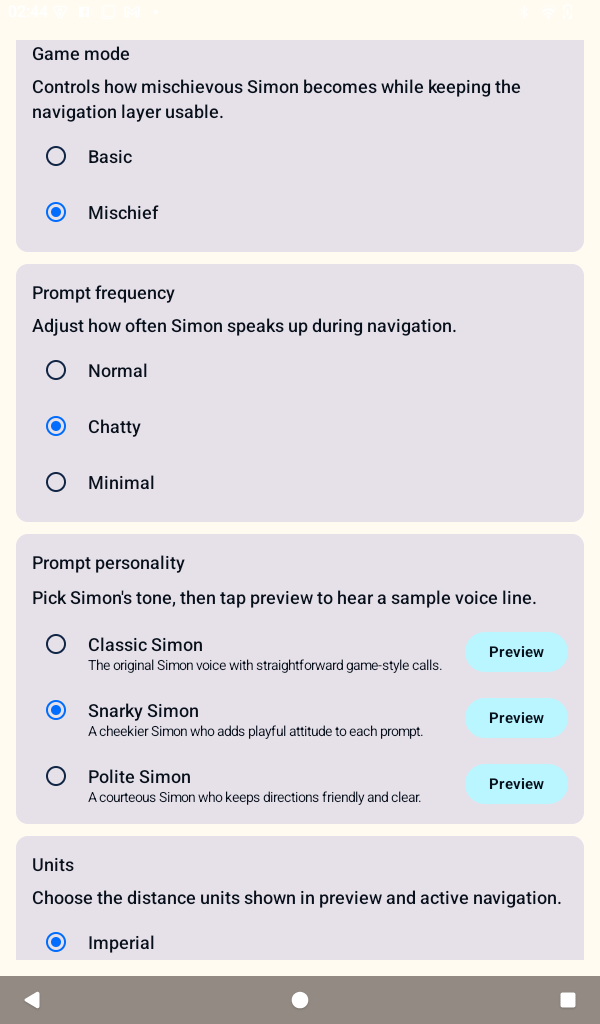
Swap personalities, change how chatty Simon gets, and preview the tone so the ride stays funny without becoming too much.
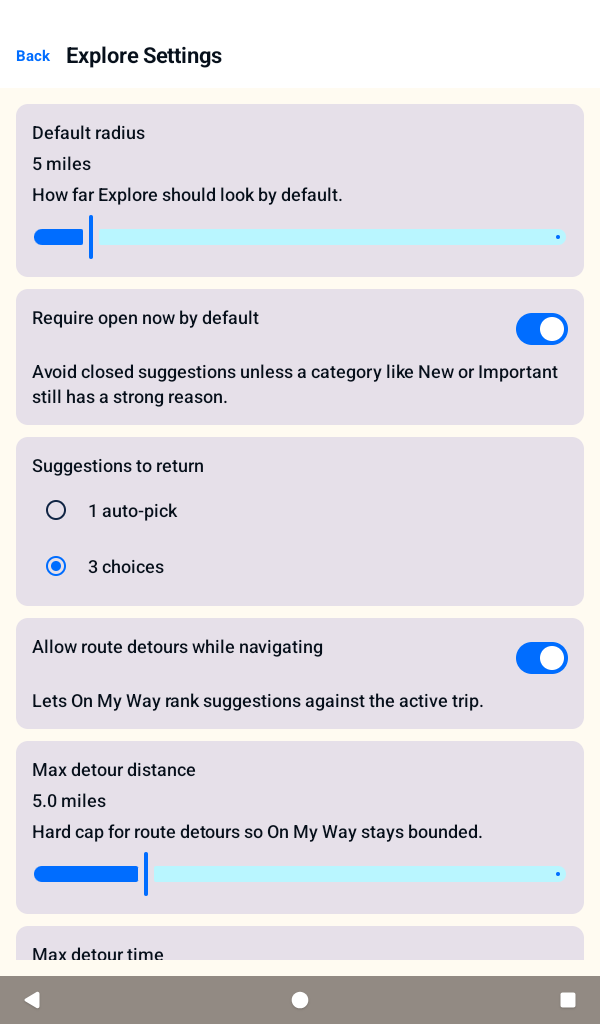
Radius, open-now defaults, and suggestion count keep playful recommendations inside useful limits.
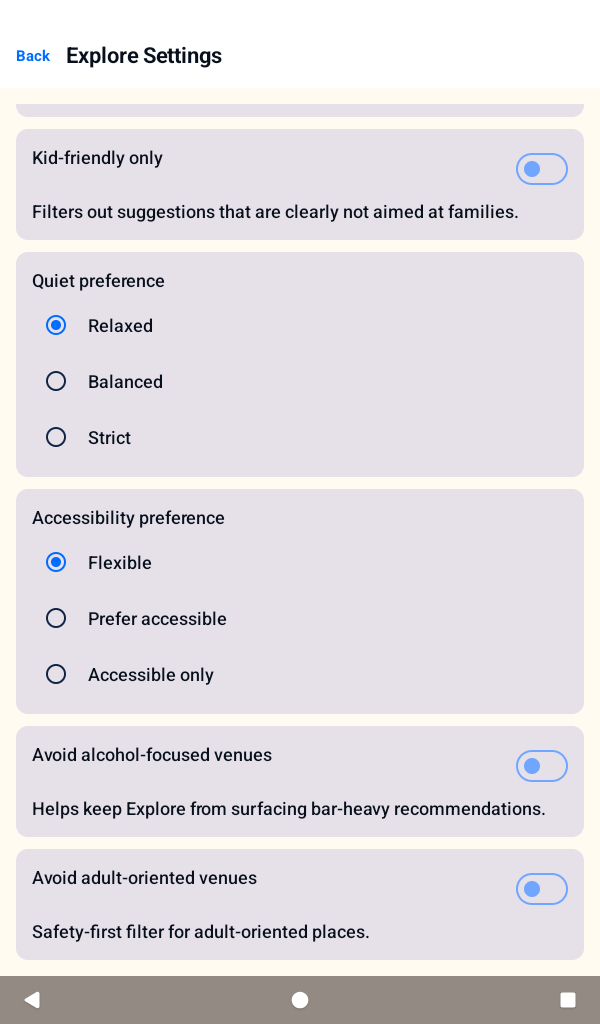
Kid-friendly, accessibility, alcohol-avoidance, and adult-content filters help explain how Explore can stay responsible.
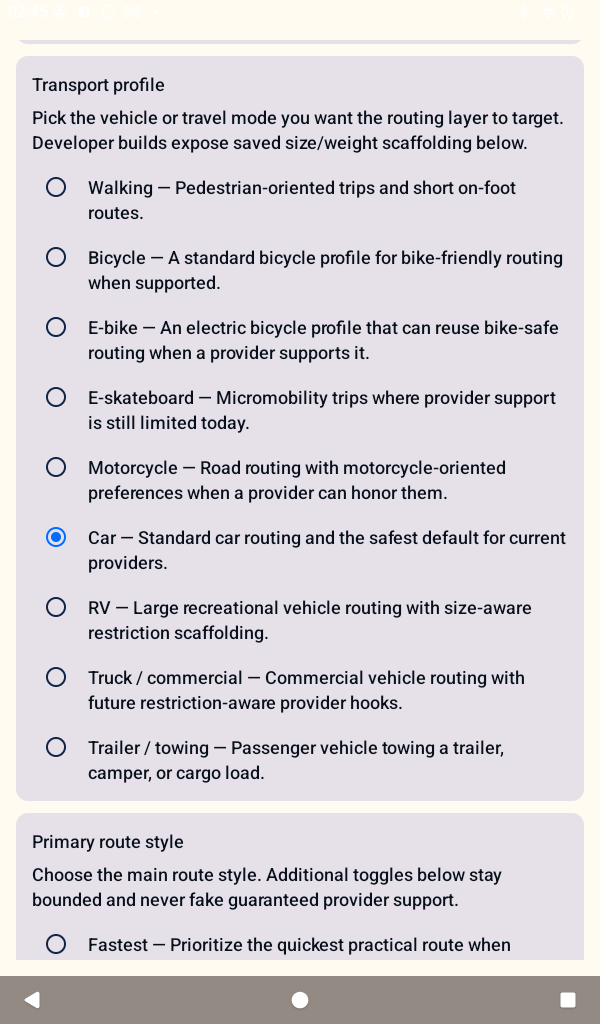
Vehicle and trip profile settings show that the routing system is designed to grow beyond one fixed use case.
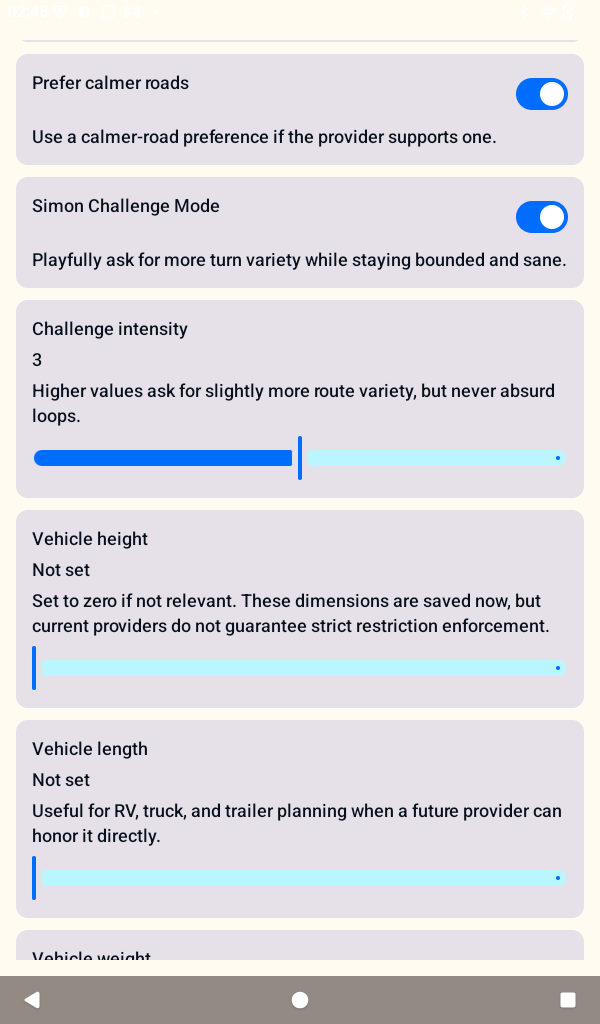
Challenge mode and route-calming toggles make the premise legible: fun route variety, but still bounded and sane.
How the loop works
Whether you want a normal trip with a little extra personality or a more playful detour-heavy run, the app gives you a simple loop: choose where to go, decide how mischievous Simon should be, and start driving.
Search directly or let Explore suggest a nearby place based on what sounds good right now.
Pick a personality, prompt frequency, and challenge level that fit the kind of drive you want.
Follow the route, enjoy the prompts, and let the app add just enough chaos to make the drive memorable.
More ways to tune the trip
The settings screens already show a lot of thoughtful control: route styles, detour limits, transport profiles, hands-free options, confirmation steps, and filters that help keep Explore useful for different kinds of outings.
For everyday drives
Keep things straightforward with calmer roads, lighter prompts, and tighter detour bounds.
For playful rides
Turn up mischief, try a different Simon, and leave room for a side quest when you feel like wandering.
Built for different trips
Helpful controls
Why it stands out
Simon Says GPS feels like a real navigation app first, then layers in enough personality, exploration, and mischief to make the trip more memorable. That balance is what makes it fun.